This case study walks through a real GoHighLevel build for an executive coaching and leadership consultancy in Florida. The screenshots are taken from the client’s account. Contact names, email addresses and the business’s branding are hidden to protect the client and the people in their pipeline.
We are deliberately not quoting results such as conversion rates or revenue. What follows is what was built, why each piece exists, and the decisions you can copy into your own account.
The brief
The firm sells three coaching products — group coaching, one-to-one coaching and a VIP executive programme — and takes enquiries through its website. Before the build, enquiries arrived by email, prospects were followed up by hand, and there was no single place to see who was at which stage. The owner wanted three things:
- every enquiry acknowledged, tagged and placed in a pipeline automatically;
- a short intake survey that tells the coach what each prospect needs before the first call;
- purchases of each coaching product recorded and handled differently, without three separate systems.
Workflow 1: the “Get in Touch” form
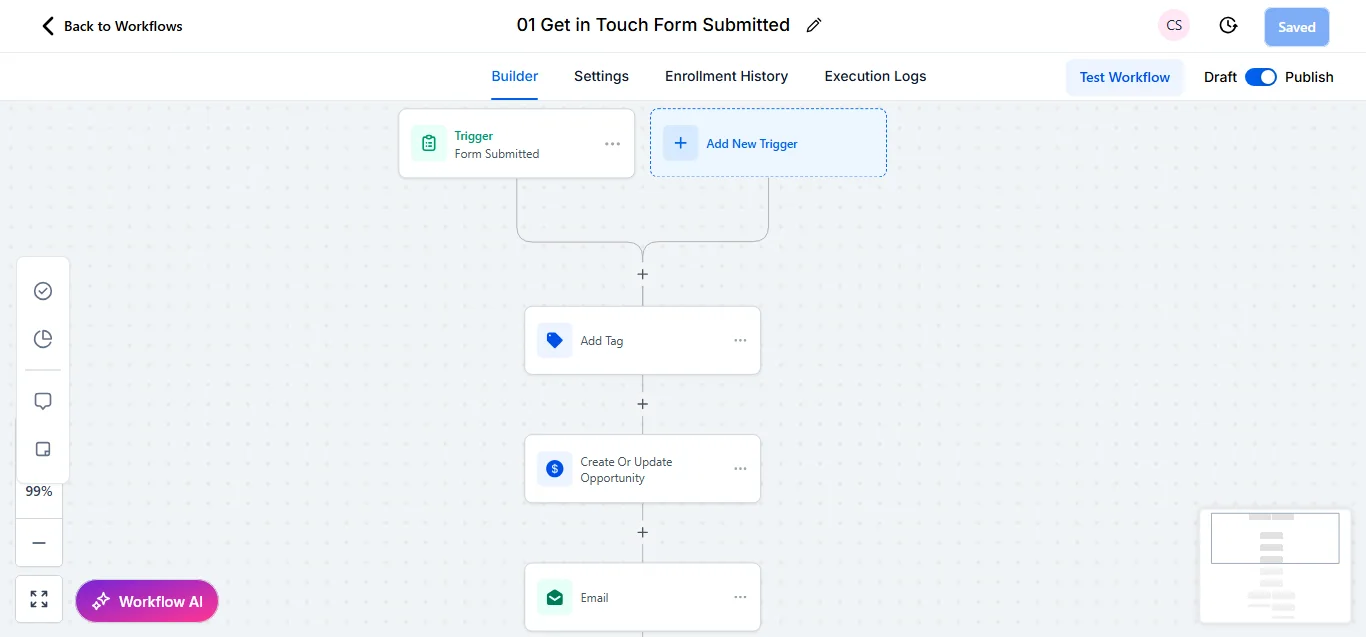
The first workflow is intentionally simple. When the website’s contact form is submitted, GoHighLevel adds a tag that records where the lead came from, creates (or updates) an opportunity in the pipeline, and sends a confirmation email. Using Create or Update Opportunity rather than Create matters: when someone fills in the form twice, they stay as one opportunity instead of becoming a duplicate.
Workflow 2: the branching intake survey
This is the most useful part of the build. After the first contact, prospects complete an intake survey. The workflow behind it does more than store the answers.
- It sends an internal notification to the coach straight away.
- It tags the contact as having completed the intake.
- A condition checks whether the person said they are the final decision-maker.
- Decision-makers are tagged and moved into the pipeline as an opportunity; everyone else is still recorded as an opportunity, but on a separate branch.
- A second condition reads the main area the person wants help with — executive coaching, strategic planning, team development, organisational culture, conflict resolution or other — and adds a matching tag.
The result is that before the first call the coach can see, in the contact record, whether they are speaking to the decision-maker and which topic matters most. Tags also make later campaigns easy: everyone interested in team development can receive relevant follow-up without anyone sorting a spreadsheet.
A design choice worth copying: every branch ends with a tag, including “Other” and the “None” path. Nothing falls through silently, and the tags show you which options people actually choose.
Workflow 3: three products, one workflow
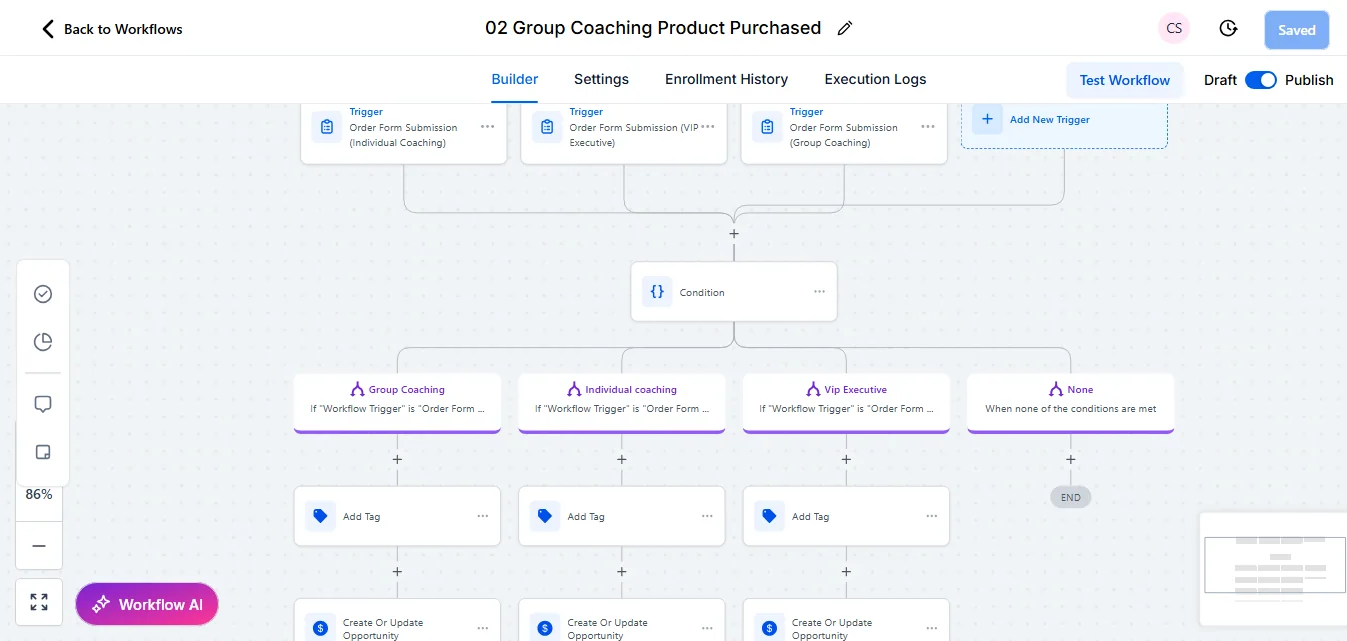
Instead of three workflows, one workflow has three triggers — one for each order form: individual coaching, VIP executive and group coaching. A condition then checks which order form fired and sends the buyer down the matching branch, where they are tagged and their opportunity is updated.
Keeping all three in one place has two practical benefits. When the onboarding steps change, there is one workflow to edit. And the None branch catches anything unexpected, such as a new order form added later without the workflow being updated.
Workflow 4: appointment booked
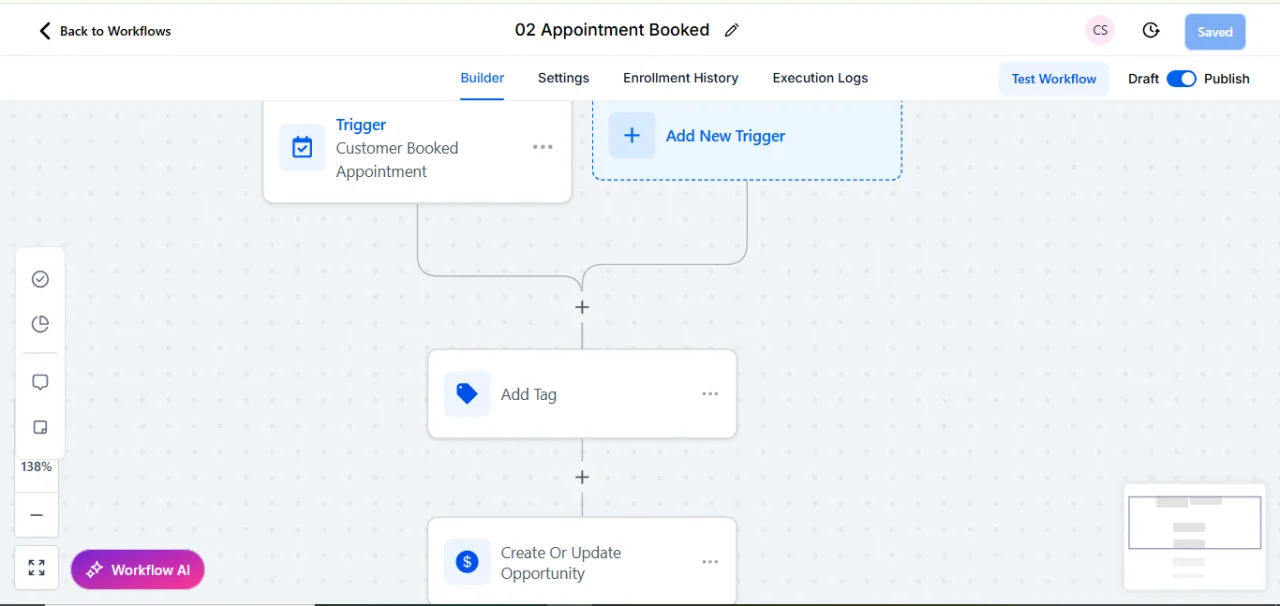
When a prospect books a call through the calendar, a separate workflow tags them and updates their opportunity, so the pipeline always reflects reality without anyone dragging cards around by hand.
Workflow 5: follow-up reminders
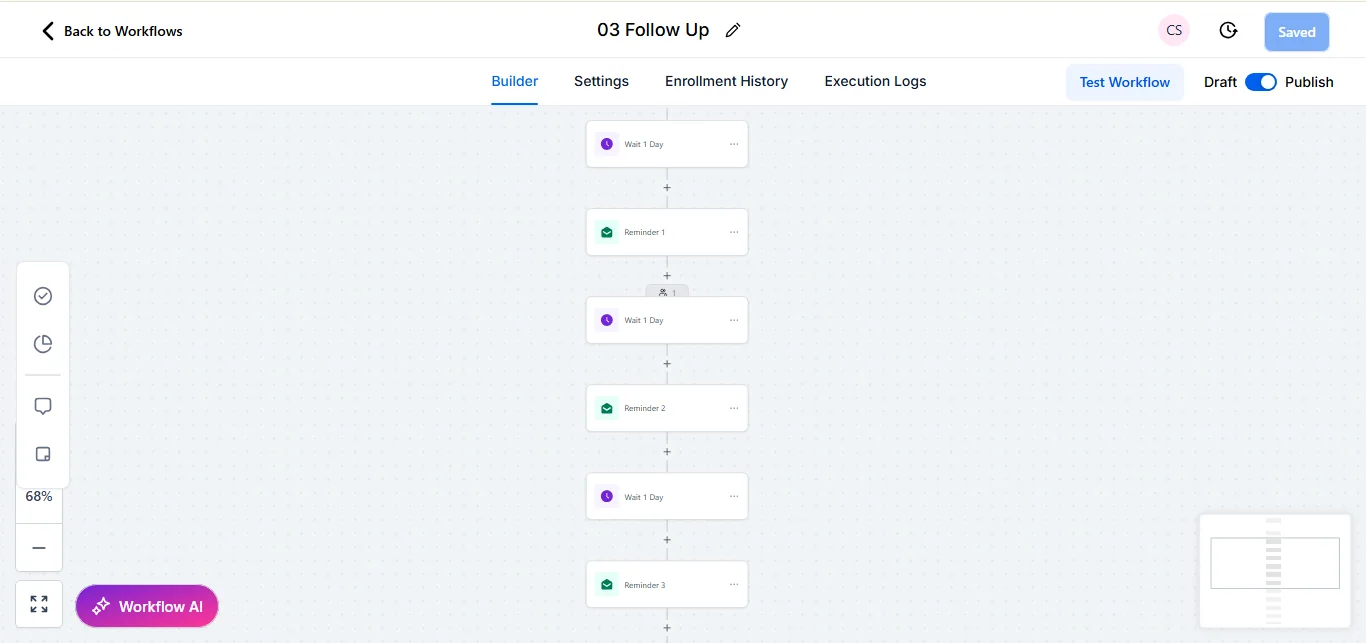
Prospects who have not taken the next step receive a short series of reminder emails, one day apart. The spacing is deliberate: close enough that the conversation stays warm, far enough apart that it does not feel like pressure. The sequence ends after the last reminder rather than running forever.
The pipeline
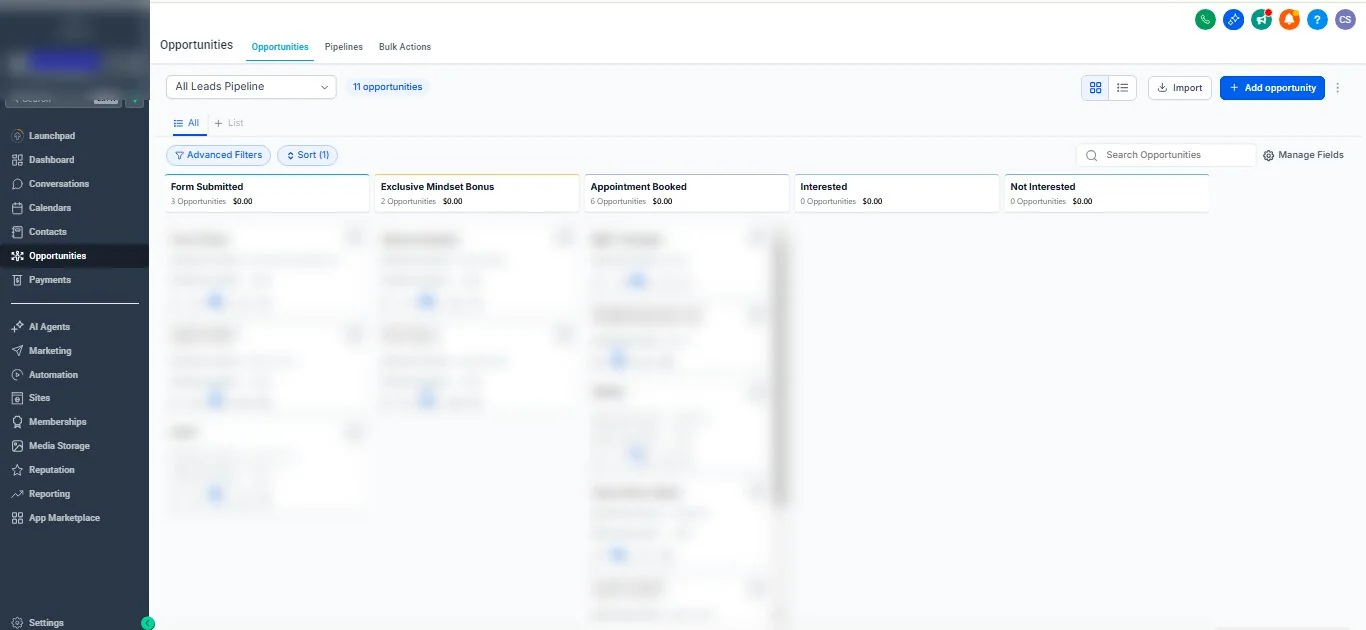
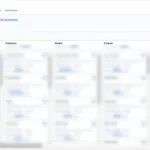
The pipeline mirrors how the firm actually sells: Form Submitted, a stage for people who took the firm’s lead-magnet offer, Appointment Booked, Interested and Not Interested. Five stages is enough to see where every prospect stands without making the team guess which column a card belongs in.
Decisions worth copying
- Ask the qualifying question in the form, not on the call. Knowing whether you are speaking to the decision-maker changes how the first call goes.
- Tag every branch. Tags are cheap, and they turn survey answers into segments you can use later.
- Use one workflow for related products. Fewer workflows means fewer places for things to break.
- Let workflows move the pipeline. A pipeline that updates itself is a pipeline people trust.
- End sequences on purpose. Every follow-up sequence should have a clear last step.
What we would add next
The natural next steps for an account like this are a stop condition on the reminder sequence so it ends the moment someone books, text reminders before calls for contacts who have agreed to receive them, and a simple monthly report showing how many enquiries reached each stage. Our guide to workflow automation sequences and our guide for coaches and consultants cover these in more detail.
If you run a coaching or consulting business and want a similar setup, get in touch and tell us how you sell today.