
Text messaging is one of the most effective tools in GoHighLevel, and it does not work properly in the United States until the sending number is registered for A2P 10DLC. This case study shows what that process looks like in real client accounts we have handled. Phone numbers and account names are hidden.
The starting point
Each client came to us with the same problem in a slightly different form: texts from GoHighLevel were failing or being filtered, or the account showed a registration that had been started and never finished. In every case the fix was the same — complete a registration that matches the business exactly, and then check that the number is actually attached to the approved campaign.
Stage 1: registration in progress
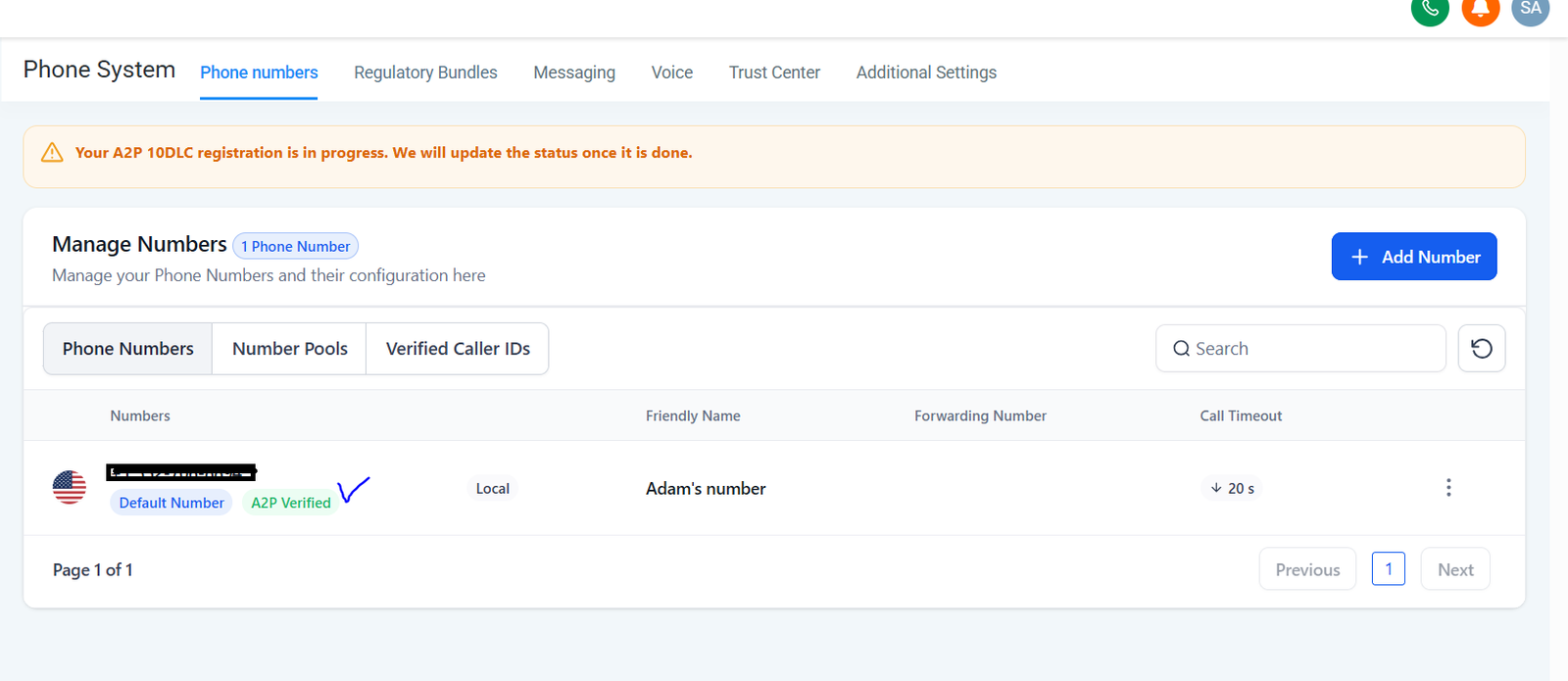
Once the brand and campaign details are submitted, GoHighLevel shows a banner saying the registration is in progress. This is the stage where most accounts stall, usually because something in the submission does not match official records. Before submitting, we check:
- the legal business name and tax ID exactly as registered;
- a live website showing the same business name, with a privacy policy that covers text messaging;
- an opt-in form with clear, unticked consent wording;
- sample messages that match the use case and include opt-out wording.
Our A2P 10DLC registration guide covers each of these in detail.
Stage 2: compliant
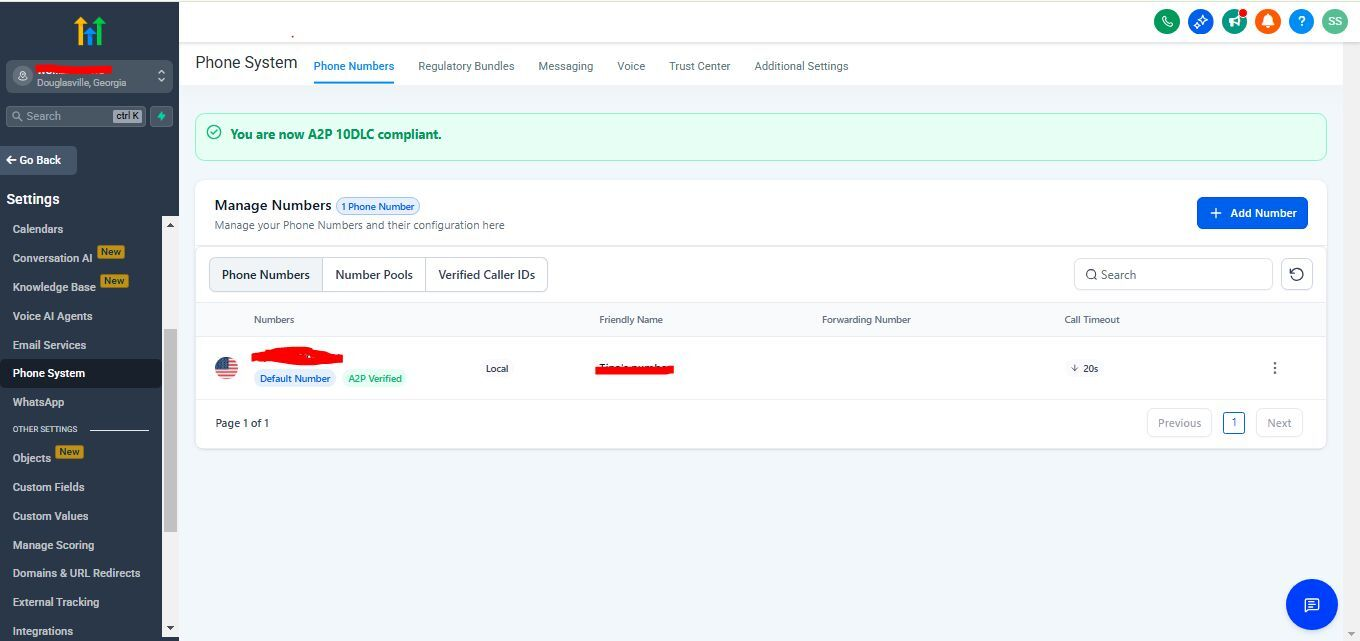
When the campaign is approved, the banner changes to confirm the account is A2P 10DLC compliant, and the phone number shows as verified. This is the point at which text campaigns can start — not before.
Stage 3: checking the number behind the scenes
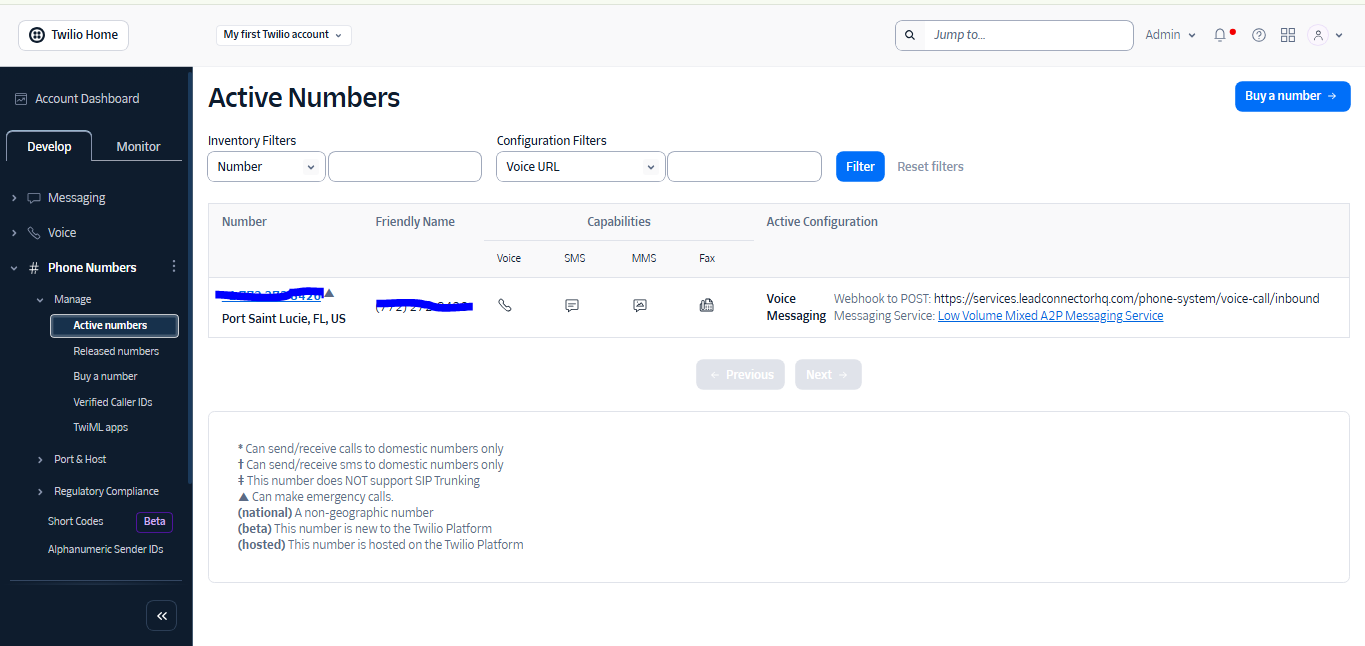
Some accounts connect their own Twilio account instead of using GoHighLevel’s built-in phone system. In those cases there is one more check that is easy to miss: the number in Twilio must be attached to the A2P messaging service that holds the approved campaign, and its voice and messaging settings must point back to GoHighLevel. A number that is registered but not attached to the right service will still have its texts filtered.
What we check after approval
- Send a test message to a real phone and confirm delivery.
- Look at the first campaign’s failed messages and their error codes.
- Confirm every sending number in the account is attached to the approved campaign.
- Make sure workflows only text contacts who have consented, within sensible hours.
- Record what was submitted, so the registration can be updated if the business details change.
Lessons from these accounts
- Accuracy beats speed. A submission that matches official records exactly is approved far more smoothly than a rushed one.
- The website is part of the application. Reviewers look at it, so fix the privacy policy and the opt-in form first.
- Approval is not the end. Check that every number is attached to the campaign, especially in accounts with their own Twilio connection.
- Toll-free is a different process. Toll-free numbers go through toll-free verification instead — see our toll-free verification guide.
If your GoHighLevel texts are failing or your registration is stuck, get in touch and we will take a look. Our SMS compliance guide covers consent and opt-out rules once you are approved.