A common assumption when businesses adopt GoHighLevel is that the WordPress site has to go. It rarely does. Most companies have years of SEO equity, a content library, and a site their customers recognise. Throwing that away to move onto a funnel builder is usually a downgrade dressed as a migration.
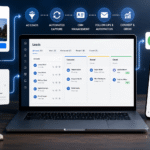
The better pattern is to keep WordPress as the public website and run GoHighLevel as the engine behind it: capturing leads, booking appointments, handling conversations and automating follow-up. This guide covers how to wire the two together properly.
Decide What Each Platform Owns
Before touching anything, draw the line clearly.
WordPress is usually better for: your main site, blog and content marketing, complex information architecture, anything with existing rankings, multilingual sites, and any custom functionality built over years.
GoHighLevel is usually better for: campaign landing pages and funnels, booking, the CRM, all outbound and inbound messaging, automation, and reporting on lead source through to revenue.
The mistake to avoid is duplicating either side. Two blogs split your SEO. Two contact databases mean neither is trustworthy. Pick one owner per job.
Four Ways to Connect Them
1. Embedded Forms — the default
Build the form in GoHighLevel, embed it on a WordPress page. Submissions land directly in the CRM and can trigger workflows immediately.
- Build and style the form in GoHighLevel so it matches your site.
- Copy the embed code — prefer the iframe embed for reliability.
- Paste it into a Custom HTML block on the WordPress page.
- Submit a test and confirm the contact, the tag and the workflow all fire.
Set the form height explicitly or enable auto-resize, otherwise long forms get clipped on mobile — the most common complaint with this approach.
2. Keep Your WordPress Forms, Send the Data Over
If you use Gravity Forms, WPForms, Contact Form 7 or Fluent Forms and do not want to change what works, keep them and forward submissions into GoHighLevel via webhook.
- In GoHighLevel, create a workflow with an Inbound Webhook trigger and copy the URL.
- In your form plugin, add a webhook action posting the submission to that URL.
- Map fields explicitly — email, phone, name, plus anything custom.
- Continue the workflow: create or update the contact, tag it, notify the team.
This preserves your existing forms, styling, spam protection and conditional logic while still centralising the data. For teams with heavily customised forms it is usually the lowest-friction route. Our API and webhooks guide covers the inbound webhook pattern in more depth.
3. Chat Widget and Booking Widgets
The GoHighLevel chat widget drops onto WordPress with a single script tag and routes conversations into the same inbox as SMS, email and social. Calendar embeds work the same way, letting visitors book without leaving your site — see our calendar and booking guide for configuring availability first.
Add scripts through a header-and-footer plugin or your theme’s script hooks rather than editing theme files directly, so a theme update does not silently remove them.
4. Zapier or Make for Everything Else
For WooCommerce orders, membership signups, LMS course completions or anything plugin-specific, a Zapier or Make scenario is usually the fastest bridge — particularly where the plugin has an existing connector.
Where to Host Landing Pages
This is the decision people get wrong most often.
Keep on WordPress: pages that should rank — service pages, location pages, the blog. Anything with existing rankings and backlinks. Splitting these across domains damages both.
Build in GoHighLevel: paid-traffic landing pages, multi-step funnels, webinar registrations, offers with a defined lifespan. These do not need to rank; they need to convert and be quick to iterate.
If you do publish GoHighLevel pages, put them on a subdomain such as go.yourdomain.com or offers.yourdomain.com. Never duplicate the same content on both platforms — that is a self-inflicted SEO problem.
Tracking Across Both Platforms
The most common failure in a hybrid setup is broken attribution: the lead came from Google, browsed WordPress, converted on a GoHighLevel form, and your reporting says “direct”.
- Same analytics on both. Install GA4 on WordPress and in the GoHighLevel page tracking settings, using the same property.
- Pass UTMs through. If a visitor lands with UTM parameters and then hits an embedded form, make sure those parameters are captured into contact fields. Otherwise every embedded conversion looks like it came from nowhere.
- Same pixels. Meta and Google Ads pixels belong on both platforms, or your remarketing audiences will have holes.
- Consistent conversion events. Define what counts as a lead once, and fire it identically on both sides.
Keeping the SEO You Already Have
If WordPress stays the main site, most of this is protection rather than change:
- Do not move ranking pages into GoHighLevel. There is almost never a good reason.
- Canonicalise carefully if any content exists in both places — ideally, make sure none does.
- Watch page speed. Each embed adds requests. Load the chat widget lazily and avoid stacking several heavy embeds on one page.
- Check mobile rendering after embedding anything. Iframes are the usual culprit behind layout shift on phones.
- Keep one sitemap — WordPress’s — and submit that. If you publish GoHighLevel pages on a subdomain, treat it as a separate property.
Our local SEO guide covers how the GoHighLevel side supports rankings without competing with your site.
Speed: The Thing That Bites Later
Every widget you add is more JavaScript. A site that scored well before three embeds may not afterwards, and Core Web Vitals affect both rankings and conversion.
- Load the chat widget only on pages where it is useful.
- Defer non-critical scripts.
- Avoid embedding a form and a calendar and a chat widget on the same page.
- Re-test with PageSpeed Insights after integration, not before.
Common Mistakes
- Rebuilding a ranking site inside GoHighLevel. Years of equity discarded for a builder that was never designed for content SEO.
- Two contact databases. WordPress form entries in one place, GoHighLevel contacts in another, and no single view of a customer.
- Dropping UTMs at the form. Attribution dies quietly and nobody notices for months.
- Adding scripts by editing theme files. The next theme update removes them.
- Duplicate content across platforms. Same offer page on both domains, competing with itself.
- Never testing the form after a theme or plugin update. Embeds break silently; schedule a check.
A Working Integration Checklist
Run through this when connecting the two, and again after any major WordPress update.
Before you start
- Document which pages currently rank and receive traffic. These stay on WordPress.
- Note every existing form and where its submissions currently go.
- Record your current PageSpeed scores so you can compare afterwards.
During setup
- Add scripts through a header-and-footer plugin, never by editing theme files.
- Set explicit heights or enable auto-resize on every embed.
- Map UTM parameters into contact fields on every form.
- Install the same analytics property and ad pixels on both platforms.
- Use upsert-style contact matching so WordPress submissions never create duplicates.
After going live
- Submit a test through every form and confirm the contact, tag and workflow all fire.
- Check rendering on a real phone, not just a narrow browser window.
- Re-run PageSpeed and compare against your baseline.
- Confirm the sitemap still lists what it should and nothing new is duplicated.
- Put a monthly form test in the calendar — embeds break silently after plugin updates.
Deciding Where a New Page Should Live
When someone asks for a new page, three questions settle it:
- Should it rank in search? If yes, WordPress. Content SEO is what it is built for.
- Does it have a defined lifespan? A seasonal offer or campaign page belongs in GoHighLevel, where it can be built and changed quickly without touching the main site.
- Is it part of a multi-step flow? Funnels with upsells, order bumps and conditional steps belong in GoHighLevel.
Applying that consistently prevents the slow drift where half your pages end up on each platform for no particular reason, and nobody can remember which is which.
Frequently Asked Questions
Is there an official GoHighLevel WordPress plugin?
The practical integration points are embeds, scripts and webhooks rather than a single official plugin doing everything. Third-party plugins exist; vet them for maintenance and security before installing, as with anything in the WordPress ecosystem.
Can I keep my WordPress blog and still use GoHighLevel?
Yes, and you generally should. WordPress is far better suited to content SEO. Use GoHighLevel for capture, follow-up and conversion.
Will embedded forms hurt my page speed?
A single form is negligible. Several embeds plus a chat widget on one page is noticeable. Be selective and re-test after changes.
How do I stop duplicate contacts between the two?
Make GoHighLevel the single source of truth. Forward WordPress submissions in via webhook using an upsert that matches on email or phone, rather than maintaining two lists.
Should landing pages live on a subdomain?
Yes, if they are hosted in GoHighLevel. It keeps the analytics boundary clean and avoids conflicts with your main site’s structure.
Getting the Setup Right
A good hybrid setup is invisible to the visitor and obvious in the reporting: one website, one contact database, one attribution trail from first click to closed revenue.
GHL Nexa builds these integrations for businesses that want the CRM without sacrificing the site they already rank with. Get in touch if you want yours connected properly.