GoHighLevel’s E-Commerce Capability Is the Platform’s Best-Kept Secret
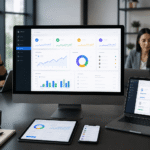
When most people think about GoHighLevel, they think CRM, automations, and funnels for service businesses. The platform’s payments and product system is dramatically underutilized — and for good reason that is rapidly changing. In 2026, GHL’s built-in e-commerce infrastructure handles physical products, digital downloads, online courses, monthly subscriptions, annual memberships, and payment plan programs, all processed through Stripe and all connected natively to the CRM, automation workflows, and membership site system without any third-party integration or additional monthly platform cost. Businesses that previously paid for Shopify, Kajabi, Teachable, ThriveCart, and a separate CRM can consolidate onto GoHighLevel and eliminate two to four platform subscriptions while gaining deeper integration between every part of their business.
This guide covers the complete GHL e-commerce setup from product creation through post-purchase automation, and clarifies the specific situations where connecting an external platform like Shopify alongside GHL still makes sense for high-volume physical product operations.
Product Types and Configuration in GoHighLevel
Navigate to Payments → Products to access the product management system. GoHighLevel supports four product types. One-Time Products charge a single payment for a physical item, digital download, consulting deliverable, or packaged service. The customer pays once and receives permanent access or physical fulfillment. Recurring Products charge on a monthly or annual billing cycle for ongoing access to a community, software, content, or retainer service. Payment Plan Products split a defined total price across a specific number of installments — for example, a $3,000 program paid as six monthly payments of $500, with GHL handling the recurring charge automatically through Stripe until all installments are completed or the customer’s payment method fails. Free Products create zero-cost delivery items used for lead magnets, free course previews, trial access, or welcome gifts, and work within the same checkout and delivery system without requiring a separate mechanism.
For each product, enter the name, description, category, and pricing. GHL supports 135 currencies through Stripe, making international sales accessible without additional currency conversion services. For digital products, either upload the fulfillment file directly to GHL (PDF, video, audio, zip archive) or enter a secure URL that customers receive in their delivery email. For physical products, enable shipping, enter the product weight and dimensions, and configure your shipping rate structure — flat rate, free shipping above a threshold, or calculated rates based on destination.
Checkout Configuration: Order Bumps and Upsells
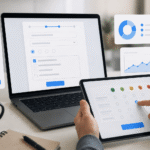
GHL offers two checkout approaches. The Funnel Builder Order Form embeds a checkout form within a fully designed sales page, giving you complete control over the surrounding copy, testimonials, guarantee statement, FAQ, and social proof. This approach produces the highest conversion rates for offers above $100 because the surrounding context addresses objections before the checkout form appears. The Products Checkout page is a standalone hosted checkout that can be deployed quickly with minimal design work, appropriate for low-friction purchases below $50 or for situations where the customer is already highly motivated and does not need extensive persuasion.
Both checkout types support order bumps — additional products presented as a single checkbox immediately before the payment button. An order bump is the highest ROI element in any checkout flow. A $197 online course offering a $47 implementation workbook as an order bump adds $47 in revenue to every transaction at a conversion rate of 20 to 35 percent — meaning 25 to 35 percent of buyers click the checkbox without any additional marketing required. On 100 sales per month at 28 percent order bump uptake, that is $1,316 in additional monthly revenue from a checkbox. One-click upsells appear on a dedicated post-purchase page immediately after the initial transaction completes, offering a higher-value related product using the saved payment method — no re-entering of card details required. Well-configured one-click upsell sequences increase average order value by 35 to 55 percent for digital product businesses.
Post-Purchase Delivery and Automation
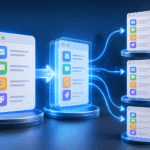
For digital products and course programs, configure a post-purchase workflow triggered the moment payment is confirmed. The workflow should: send a personalized delivery email within 30 seconds with the download link, login credentials, or course access URL; add the buyer to the appropriate GHL Membership course tier or community; update the contact’s CRM tags from Prospect or Lead to Customer and remove any sales-nurture tags; enroll the new customer in your onboarding email sequence; send a Day 1 welcome SMS confirming their access and inviting any questions; and schedule a Day 7 satisfaction check-in SMS asking how they are getting on with the product. For physical products, the workflow sends an order confirmation, triggers a fulfillment notification to your team or third-party logistics provider, and sends a shipping confirmation with tracking information when the order status is updated to shipped.
Abandoned Checkout Recovery
When a known GHL contact begins the checkout process but does not complete payment, an abandoned checkout recovery sequence can recapture 15 to 26 percent of would-be lost sales. The sequence works when the contact is a known GHL record with a valid email — either because they opted in through a form previously or because they entered their email on the checkout page before abandoning. Thirty minutes after abandonment, an SMS or email goes out noting that they did not complete their purchase and providing a direct link back to the checkout page. Three hours later, a follow-up message addresses the three most common purchase hesitations for your specific offer type. Twenty-four hours later, a final message presents a time-sensitive bonus, a limited discount code, or a social proof element such as a customer testimonial that removes remaining doubt. This sequence adds meaningful revenue with no additional marketing spend by recovering sales that were already earned but not completed. GHL Nexa configures complete GoHighLevel e-commerce systems including product setup, checkout funnels, Stripe integration, order bumps, and post-purchase automation. Book a free strategy call to plan your product launch.
Pro Tips From GHL Nexa Experts
For businesses selling higher-ticket products above $500, consider a two-step checkout process: capture email first on a lightweight opt-in form, then redirect to the full checkout page. This two-step approach allows you to trigger an abandoned checkout sequence for everyone who enters their email but does not complete payment — even if they never entered any payment details — because you have their email address from Step 1. Two-step checkouts recover significantly more abandoned purchases than single-step checkouts where you have no contact information for incomplete purchases.
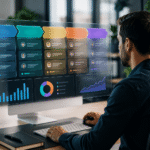
GHL’s Product Analytics section shows conversion rates by product, average order value, refund rates, and revenue by time period. Review these metrics monthly. A product with a high refund rate needs either better expectation-setting in the sales copy, better content quality, or better onboarding support. A product with declining monthly revenue might need a promotional campaign or a content refresh. Products that sell well but have low average order values are good candidates for order bump optimization.
When connecting Stripe to GoHighLevel, configure Stripe’s smart retries for failed subscription payments. Rather than immediately canceling a client’s access when a payment fails, Stripe’s retry logic attempts the charge again at specific intervals over several days. Combine this with a GHL automation triggered by a failed payment event that sends the client an SMS and email asking them to update their payment method — catching card declines before they become involuntary churn. This combination recovers 60 to 70 percent of failed subscription payments that would otherwise result in canceled accounts.
Book a free GHL e-commerce setup consultation with GHL Nexa and we will design your complete product, checkout, and post-purchase automation system. GHL Nexa has implemented GoHighLevel systems for over 400 businesses across 40 countries. Book a free strategy call to discuss your specific setup and get a custom implementation plan.